
How 3D Product Viewers Are Changing the Way Architects Specify FF&E Products
Specifying FF&E (Furniture, Fixtures, and Equipment) has always carried a degree of uncertainty. A manufacturer's catalog provides dimensions and finish options. A static product photograph shows one angle under controlled lighting. A showroom visit is time-consuming and logistically impractical for every product on a specification list. For decades, design professionals have worked around these limitations, accepting that the gap between what a product looks like in a brochure and how it performs in context is simply part of the process.
Interactive 3D product visualization is closing that gap. Specifically, the emergence of browser-based 360-degree product viewers is shifting how specifiers evaluate, compare, and present product selections at every stage of a project, from schematic design through construction documents.
In this post, we’ll explore:
The Limitations of Static Product Documentation
What 3D Product Viewers Actually Deliver
Integration Into the Specification Workflow
A Practical Shift in How FF&E Products Are Evaluated
The Limitations of Static Product Documentation
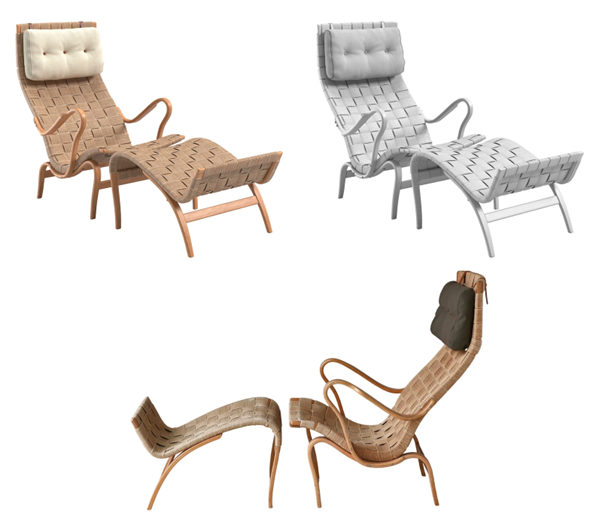
The standard tools for product evaluation in the AEC (Architecture, Engineering, and Construction) industry, like PDF cut sheets, 2D CAD drawings, and product photographs, were designed primarily for documentation, not for design decision-making. They answer questions about dimensions, material composition, and finish codes. They don’t answer questions about how a product reads at scale within a room, how a finish responds to varying light conditions, or how a chair's proportions interact with the table it is intended to accompany.
This gap becomes more pronounced in client-facing settings. Design professionals can read a technical drawing and mentally construct a spatial context. Clients generally cannot. The result is a persistent disconnect between what is specified and what the client approves and the potential for costly change requests once physical products arrive on site.
Static photography makes the problem worse. Product images are shot in controlled studio environments, often against neutral backgrounds, with lighting calibrated to make the object look as appealing as possible. That presentation rarely reflects the ambient light conditions of a real commercial interior, a hospitality lobby, or a healthcare waiting area. While specifiers with experience account for these differences instinctively, junior team members and clients often overlook them.
What 3D Product Viewers Actually Deliver
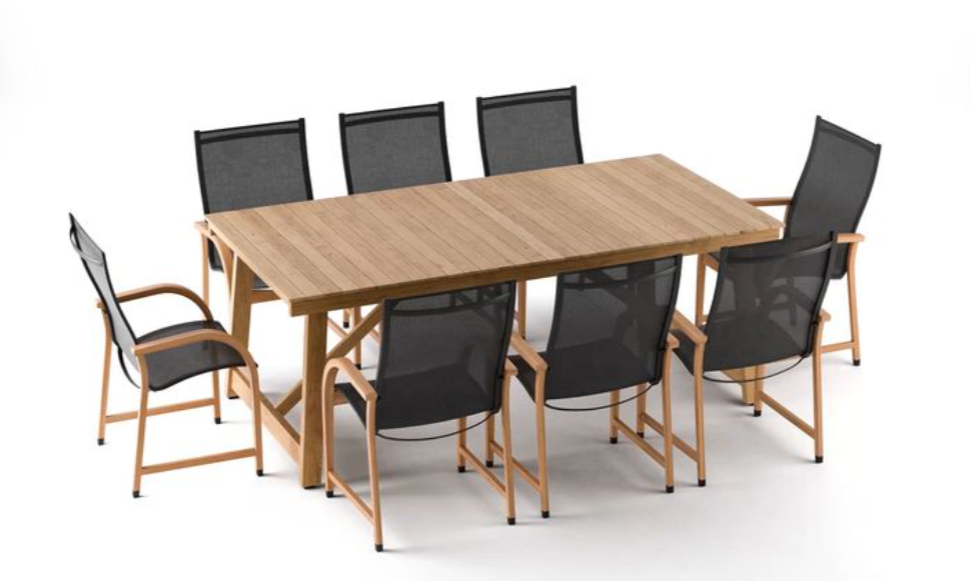
A 3D product viewer allows a user to rotate, zoom, and interact with a photorealistic model of a product directly in a browser, without requiring any specialist software or plug-ins. Unlike a static render, which commits to a single viewing angle, a 360-degree viewer allows the specifier—or the client—to examine a product from any perspective: the underside of a chair, the edge profile of a tabletop, the hardware detail on a cabinet door.
More advanced implementations include material and finish switching, allowing users to toggle between upholstery options, wood species, or lacquer colors in real time. Rather than referencing a physical sample library or requesting a memo sample, a specifier can make an initial shortlist based on accurate digital representation, reserving physical samples for final confirmation rather than preliminary exploration.
For project presentations, the value increases. Rather than asking a client to interpret a flat image or imagine how a finish will look at scale, the design team can share a live product viewer link that the client can interact with independently. The product stops being an abstraction. It becomes something that can be examined, questioned, and ultimately understood—without a physical sample ever leaving a showroom.
Integration Into the Specification Workflow
The practical question for design professionals is not whether 3D product visualization is useful (the case for that is straightforward) but how it integrates into existing specification workflows without creating additional documentation overhead.
The most effective implementations treat the 3D viewer as a complement to existing technical documentation rather than a replacement for it. A product page that combines a downloadable CAD or BIM file with an interactive 360-degree viewer gives specifiers everything they need in a single source: the geometry required for drawing sets and the visual accuracy required for product evaluation. The two functions address different professional needs and, when delivered together, significantly reduce the time spent cross-referencing multiple sources.
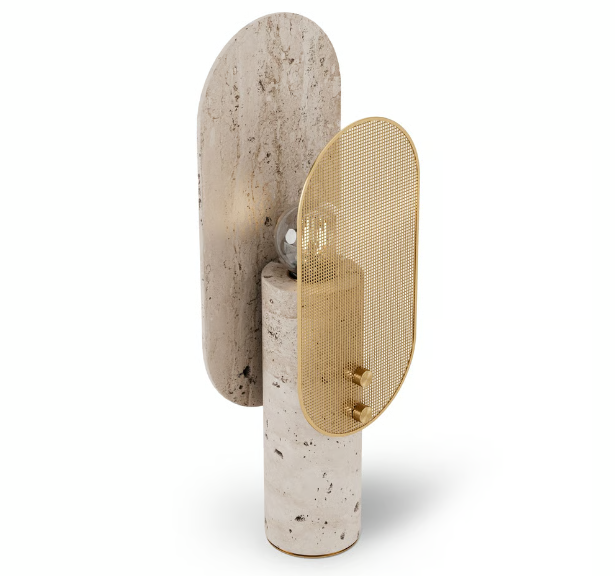
Understanding what a 360 view of a product actually involves in terms of the underlying 3D model quality, geometry accuracy, and texture fidelity is increasingly relevant for firms that evaluate manufacturer-provided digital assets as part of their product research process. Not all interactive viewers are built to the same standard, and the difference in model quality between a promotional asset and a specification-grade 3D file is significant. Models built to support both visualization and technical documentation must accurately reflect product dimensions, component relationships, and material characteristics—requirements that go well beyond what is needed for purely marketing-oriented imagery.
A Practical Shift in How FF&E Products Are Evaluated
The adoption of 3D product viewers in the specification process is not a wholesale replacement of existing tools. CAD drawings, BIM files, physical samples, and technical data sheets continue to serve essential functions in project documentation. What 3D visualization adds is a layer of spatial and material comprehension that existing tools do not provide, and that becomes particularly valuable when communicating across teams with varying levels of technical drawing literacy.
For firms managing projects with large FF&E scopes, the efficiency gains are real. Fewer specification revisions are driven by client misalignment at the presentation stage. Fewer substitution requests when physical products arrive and fail to match expectations formed from inadequate documentation. More confident, better-informed product selections made earlier in the design process — when changes are still inexpensive.
The underlying principle is straightforward: better product information, presented in a format that design teams and their clients can actually use, produces better specification outcomes. Interactive 3D visualization is one of the more direct ways the industry has found to deliver on that principle.
Looking for the right 3D model for your design? Find what you need on CADdetails.
Author: Julia Shitina is an SEO Manager at a professional CGI studio specializing in architectural visualization, 3D product rendering, and digital content for architects, developers, interior designers, and furniture brands worldwide.
Cover image by Lotus Design N Print on Unsplash